Rewindi: Classic Music Player

Rewindi: Classic Music Player

Compare time zones for calls

Creator
Northeastern Software Services LLC

Rewindi is a music player based on the iPhone Click Wheel interaction design, supporting browsing and playing local songs as well as your Apple Music library. Rotate the outer dial to move the cursor, skip tracks, or adjust playback progress; press the center button to confirm selections. The interface offers intuitive and efficient control. The app adapts to iPhone color schemes from 2020 onwards, allowing you to customize the body color according to your device model. The screen and dial ring support dark/light modes or can follow the system setting. Playback continues in lock screen mode or when headphones are connected, fulfilling users' dual needs for an immersive audio experience and personalized aesthetics.

COMMUNITY PERKSMergeek 社区专属福利
独家限免 NEW每天发现一份惊喜
PRODUCT SCREENS / 6

点击查看界面细节

Rewindi: Classic Music Player 产品截图 1Rewindi: Classic Music Player 产品截图 2Rewindi: Classic Music Player 产品截图 3Rewindi: Classic Music Player 产品截图 4Rewindi: Classic Music Player 产品截图 5Rewindi: Classic Music Player 产品截图 6

Play your Apple Music library with the Click Wheel. Scroll through, press to play, and switch the case to iPhone colorways from 2020 onward.

Rewindi is a click-wheel music player for iPhone. Your library appears on a small screen. Rotate the wheel to move the cursor and press the center button to select the current option.

You can play songs, albums, artists, and playlists on your iPhone. With an Apple Music subscription, you can browse the catalog and listen to radio stations. Shuffle, repeat, skip tracks, and scrub through progress are all controlled via the wheel. Playback continues on the lock screen and via headphones.

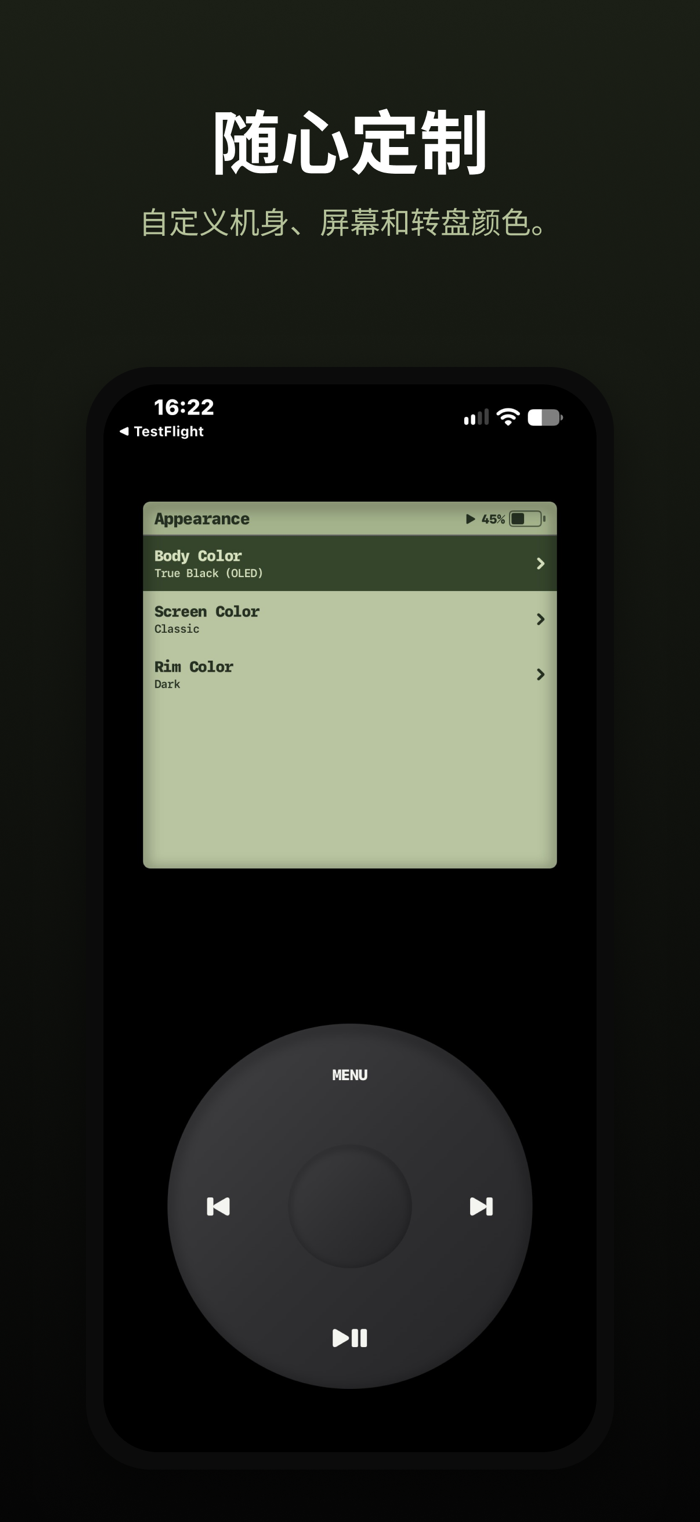
The case is also part of the player. Choose colors by year and iPhone model, ranging from 2020 to the current lineup, including matte black. The screen and bezel can be set to light or dark mode, or follow the system setting.

Browsing the catalog and listening to radio requires an Apple Music subscription. Your locally owned music can be played without a subscription. Rewindi only requests Apple Music access when you choose to connect, and you can configure this later in Settings.

Usage

Rotate the wheel to navigate; press the center button to confirm.
Press MENU to go back to the previous level.
Playback controls are below the wheel: press left or right to skip tracks; hold to fast-forward or rewind.
On the Now Playing screen, rotate the wheel to scrub through the track.
Change the case color in Settings > Appearance > Case Color. Hover over a color to preview it, then confirm to save.

版本

1.5

提升了专辑封面加载和显示的稳定性,让你的音乐体验更加流畅。

查看完整更新记录 ↗

你的真实体验,为其他用户提供宝贵参考,获得宝石奖励

REWARD MARKET100 宝石可兑换什么?

还没有公开评论,欢迎分享你的体验。

提交反馈

每一个想法,都让 Mergeek 更好一点。